NotchNook
Use the MacBook notch for music, calendar, notes and a shelf for your files
ForMac users who want quick controls at the top of the screen Mac
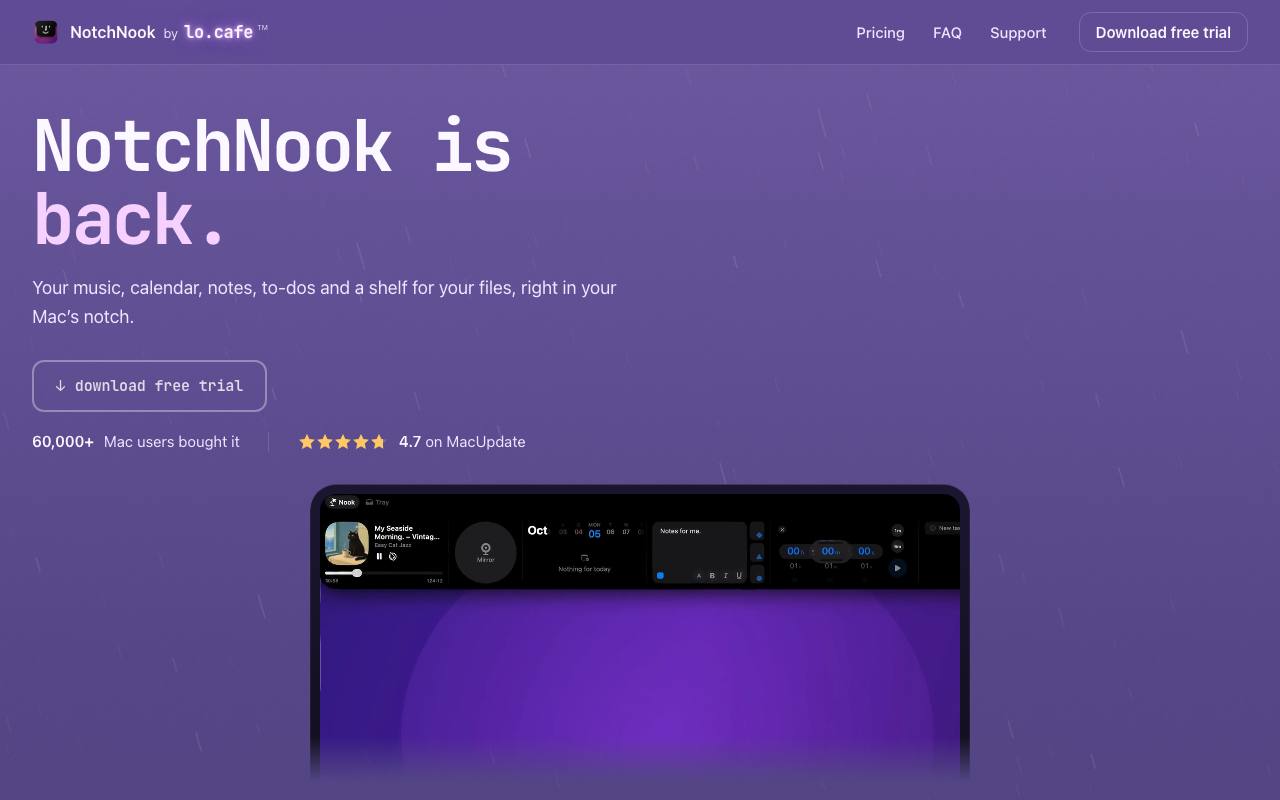
The notch on a MacBook screen holds the camera and leaves a black gap that every app has to work around. NotchNook turns that gap into a small panel that opens when the pointer reaches it. Inside are music controls and the next calendar events, with a button to join the video call. Notes, a to-do list and timers sit one swipe away.
The Tray is a shelf for files: drop several on the notch, keep them there across restarts and send them on with AirDrop. A camera mirror gives a last look before a meeting. Battery changes and Bluetooth connections show up as short notices around the notch.
Macs without a notch get a slim handle at the top of each display that opens the same panel. The app needs macOS 14.6 or later on Apple silicon or Intel. The home page counts more than 60,000 buyers. This site and the checkout went live with the app's relaunch in autumn 2026.
Good fit if you…
- use a MacBook and want music and meetings within reach of the pointer
- move files between apps often and want a place to park them
Made NotchNook? Get the badge
You're welcome to show the listing on your site. It's optional and free, and nothing about the listing depends on it.

Share the listing
More in Productivity & Collaboration
See all →
BriefPatch
Agree on scope, feedback rounds and handoff with a client before the job grows

DeckDesh
Send your pitch deck as a private link on your own website and see when it gets opened

Novastart
Keep every app on one zoomable desktop that is still set up when you come back tomorrow

Numbers2Excel
Open a spreadsheet someone made on a Mac by turning the .numbers file into Excel

Aftermath File Fixer
Shrink a video or resize a photo to fit a form, right in your browser