InboxCabin
Keep several Gmail and Outlook accounts open on Windows, one click apart
Forpeople on Windows who juggle work and personal email accounts Windows
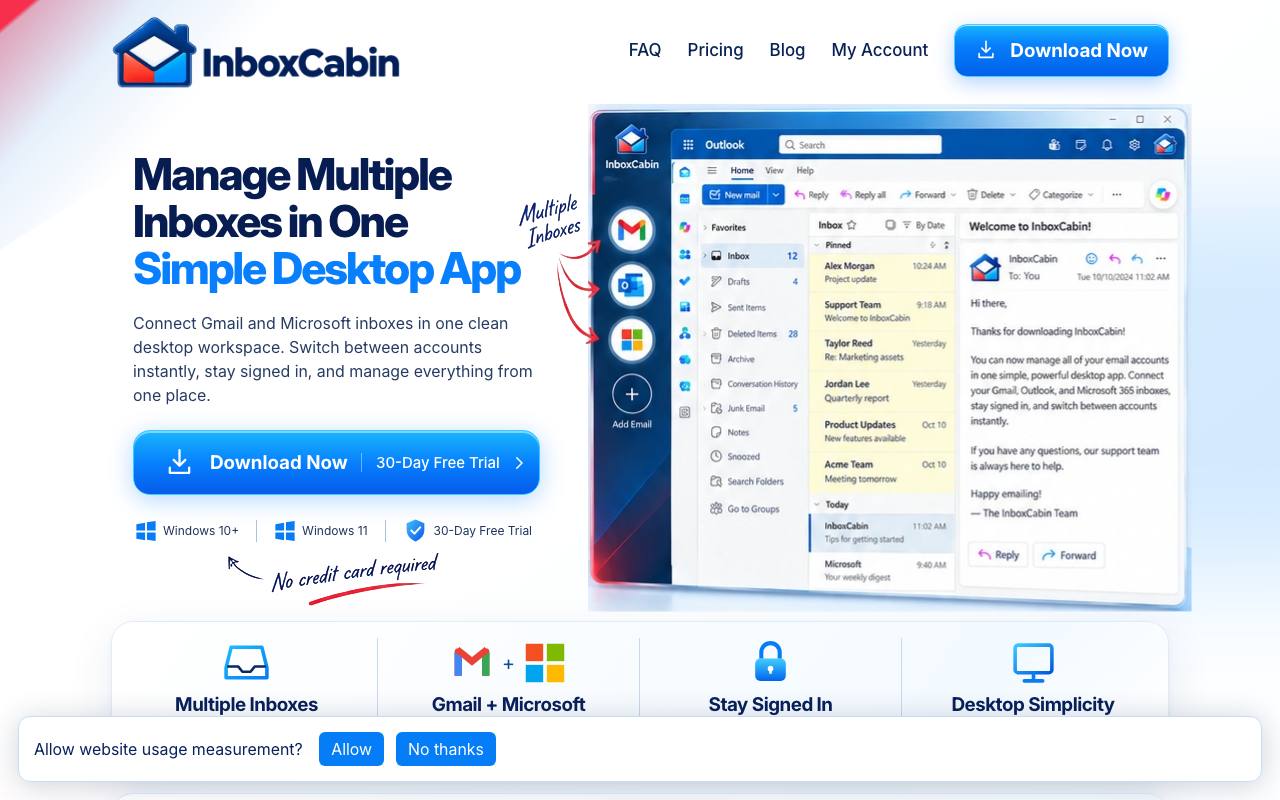
Was that email sent to the work address or the personal one? With both accounts open in the same browser, the right inbox gets lost among dozens of other tabs. InboxCabin moves those accounts into a Windows desktop app and keeps each Gmail or Microsoft account in a separate session. A sidebar button switches between them, and each account shows the provider's normal webmail page. Messages stay with their account, so there is no combined inbox.
An optional backup stores mailbox names, labels and saved logins, and the privacy policy says they are encrypted on the computer with a key the server never receives. Behind each sidebar button sits a local browser profile that stays signed in across restarts and updates. Google and Microsoft can still ask for a fresh sign-in or a second login step.
Good fit if you…
- keep separate work and personal Gmail or Outlook accounts open on one Windows PC
- want each account to look like the webmail you already know
Made InboxCabin? Get the badge
You're welcome to show the listing on your site. It's optional and free, and nothing about the listing depends on it.

Share the listing
More in Productivity & Collaboration
See all →
BriefPatch
Agree on scope, feedback rounds and handoff with a client before the job grows

DeckDesh
Send your pitch deck as a private link on your own website and see when it gets opened

Novastart
Keep every app on one zoomable desktop that is still set up when you come back tomorrow

Numbers2Excel
Open a spreadsheet someone made on a Mac by turning the .numbers file into Excel

Aftermath File Fixer
Shrink a video or resize a photo to fit a form, right in your browser