PC Tweaker
Change hidden Windows settings for gaming or privacy and roll them back later
ForWindows 10 and 11 users who like to tinker with settings Windows
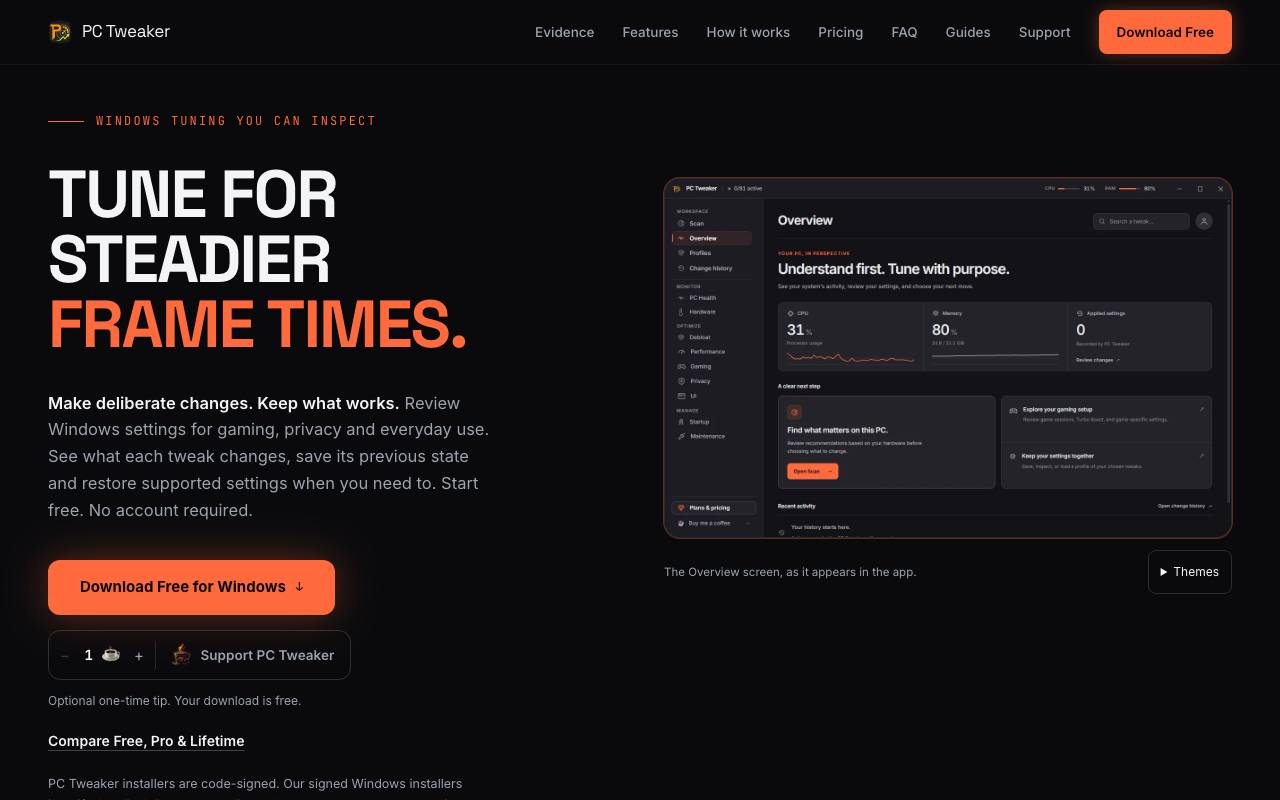
A week after following a Windows tuning guide through a dozen hidden settings, nobody remembers which one broke the printer. On Windows 10 and 11, PC Tweaker explains each change before it runs and names the registry value or Windows service it touches. Supported settings save their earlier state, and a change history lets you roll them back.
The controls are sorted into gaming, privacy, interface, performance and maintenance. A ready-made profile can switch on a whole set at once. Settings that affect the whole machine carry an Admin label because they need administrator rights. Around the tweaks sit a health score, a driver list and other system tools, and Repair runs the checks built into Windows (DISM and SFC). The site warns that files removed by cleanup cannot be brought back and that a restore does not replace a full backup.
The privacy policy says tweaks and hardware readings stay on the device and that the app runs no behavioural analytics. Its source is public on GitHub under the maker's own source-available licence, and the site says installers are code-signed. A separate Uninstaller app from the same maker shows how risky a removal is and which command will run. Afterwards it scans for leftover files and registry keys and logs each removal with the disk space it freed.
Good fit if you…
- want to try Windows tweaks and keep a way back to the old settings
- want to see what a setting changes underneath before you switch it
Made PC Tweaker? Get the badge
You're welcome to show the listing on your site. It's optional and free, and nothing about the listing depends on it.

Share the listing
More in Data, Security & IT
See all →
Data Import Mapper
Clean up a spreadsheet before it goes into new software, and see every row that fails

ED2K Tool
Make ED2K links for cloud drives from files on your own computer, hashed in the browser

Phishnoo
Send your own staff fake scam emails and texts, then train whoever takes the bait

ping123
See what websites learn about your connection and check your VPN for leaks

MailTova
Get email addresses on your own domain without running a mail server