For readers By Rade Kolbas25 October 20267 min read
Your supplier's bank details changed.Or did they?
How invoice fraud works, why the fake email can come from your supplier's real address, and the checks that stop it before you pay: a phone call, a second pair of eyes and the name check your bank may already do.
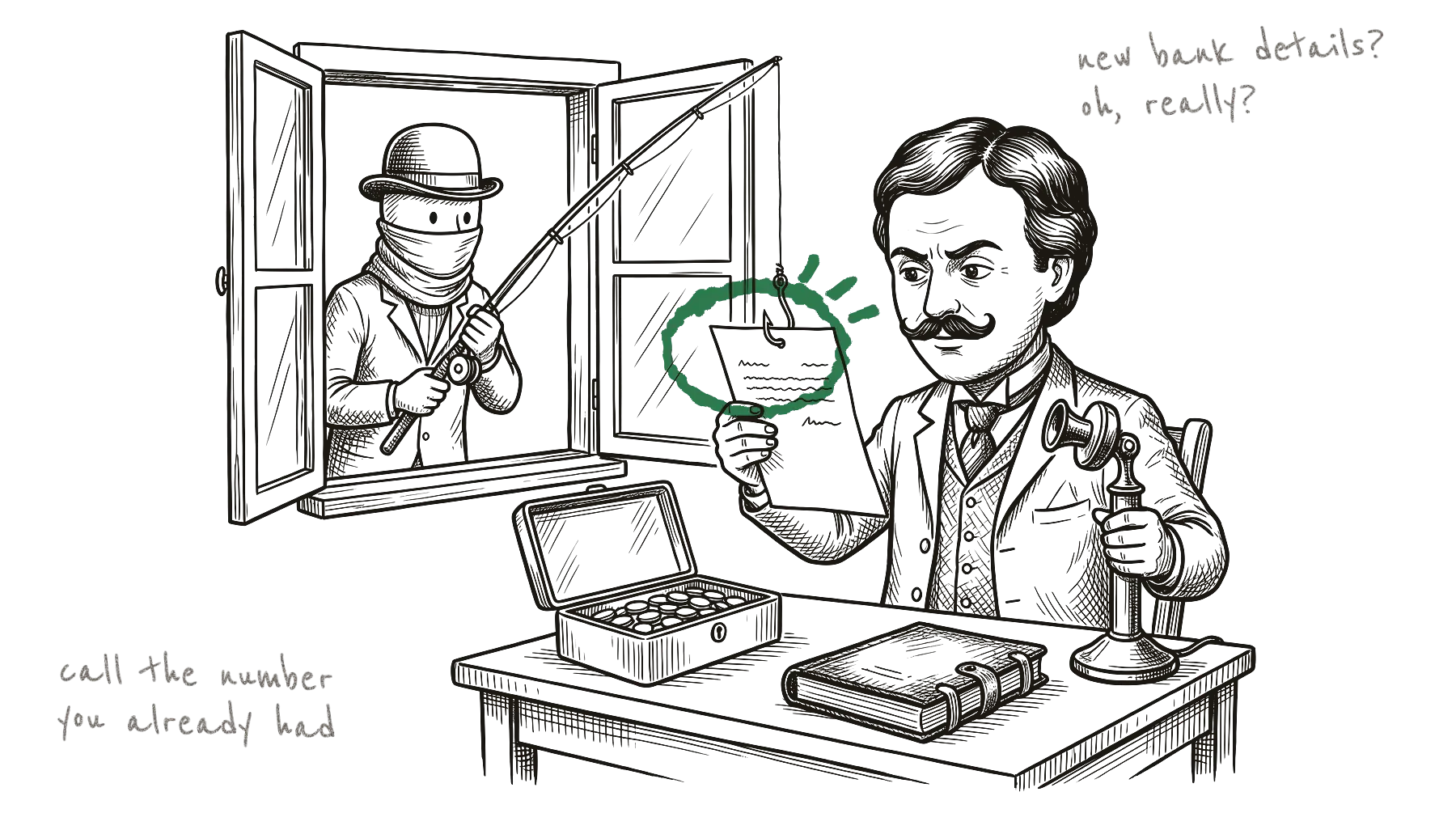
It’s Friday afternoon. An email arrives from a supplier you’ve paid for years, as a reply in the same conversation as last month’s order. Same logo, same invoice, same friendly sign-off. One new line: “Please note that our bank details have changed. Kindly use the new account below for this and future payments.” Below it, a new IBAN, the long account number you need for a bank transfer.
You pay. Two weeks later the supplier calls and asks, politely, when their money is coming.
That’s invoice fraud. Nobody broke into your bank. You sent the money yourself, to a criminal, because an email told you to. And the email looked right because, in many cases, it was a copy of a real one.
Pick up the phone. Use the old number.
The check that stops this costs nothing. The official sources I read for this post, from the Swiss government’s cybersecurity office to Europol (the EU’s police agency) and the UK police, give the same advice.
- Call the supplier back on a number you already have. Use the number from your files, an old invoice or their website, never the one in the email asking for the change. If criminals have broken into the supplier’s email account (more on that below), the phone number in that email may be theirs too. The Swiss office says these cases are often discovered this way. The two companies call each other and find out that one of the emails was fake.
- Let a second person approve any change of bank details. The Swiss office recommends that changes to a supplier’s account always need approval by two people. In a two-person firm, that can be as simple as “we both look at it before anything goes out”.
- Treat hurry as a warning sign. The UK police advice is to “stop and think” when someone asks for an urgent payment or new bank details. A real supplier will survive a one-day delay while you call them.
- Read the sender’s address letter by letter. Many email apps on a phone show only a name, like “Miller Supplies”. Tap the name to see the full address behind it. This catches fake look-alike addresses (more on those below). It does not help when the email comes from the supplier’s real, hacked mailbox. For that, you still need the call.
What about sending a small test amount to the new account first? I found no police or bank advice that recommends it. A test payment only shows that the account exists and that someone there answers. Of course they answer: they’re waiting for your money.
How the fake email gets into a real conversation
The Swiss Federal Office for Cybersecurity describes two common versions.
Version one: the supplier’s mailbox was hacked. Criminals get into a real email account at your supplier, read the conversations and find the invoices. Then they send a copy of a real invoice, with their own IBAN on it. The office adds that attackers often set up a rule that quietly forwards them a copy of every new email. That way they stay unnoticed for longer.
“These scam messages often refer to genuine email conversations.”
Swiss Federal Office for Cybersecurity
Version two: an address that looks almost the same. In one case the Swiss office reported, a company’s web address ended in .ch. The scammers registered the same name with the ending .cam, which is easy to mistake for the common .com. They also made fake addresses for several of that company’s customers. Both sides thought they were writing to each other. In fact their emails went to the criminals, who read everything.
How do they know who your suppliers are? Often from the hacked mailbox. A UK police unit says they also use contracts and other information that firms publish on their websites and social media.
This is not rare. In the UK alone, banks reported 2,305 such cases and £41.3 million in losses in 2025, according to the banking industry group UK Finance. Two thirds of that money was lost from business accounts.
Your bank may already check the name
Since 9 October 2025, banks in the euro area must offer a free check for euro transfers, called Verification of Payee (the “payee” is the person or company you pay). You type the IBAN and the name of the person or company you’re paying. Before you send, your banking app or website tells you whether the name matches the account: “match”, “close match”, “no match” or “verification not possible”.
If your supplier’s “new” account comes back as “no match”, stop there. With “close match”, the bank shows you the name that belongs to the account; if it isn’t your supplier’s name, stop too. “Verification not possible” means the bank couldn’t check, so you’re back to the phone call.
The check only warns you, though, and you can still press “pay”. If you pay anyway after a “no match”, your bank is not responsible if the money goes to the wrong place. Experts at the Euro Banking Association, a group of European banks, also warn that the check alone is not enough. One reason: people often pay anyway when the fraudster keeps up the pressure.
If your business sends many payments together in one go, your bank may offer the check only on request.
In the UK, a similar check called Confirmation of Payee has been around since 2020 and now covers nearly all fast bank transfers between UK accounts. In Switzerland, it’s less clear. Switzerland is outside the euro area and the EU, so the rule does not apply to Swiss banks, and I couldn’t find out which of them check names voluntarily. If you pay from a Swiss account or to one, don’t count on a name check. Ask your bank.
Some websites offer free IBAN checkers. They only test that the number is written correctly for its country, so they catch typing errors. A criminal’s IBAN is written correctly too, and it passes.
You already paid. Now what?
Call your bank right away, on the number from its official website or your card, and ask them to stop the payment or get it back. The FBI writes: “time is of the essence.” None of the official sources I read gives a number of hours you can safely wait, so don’t wait until Monday.
Then:
- Report it to the police, even if the bank gets the money back. In Switzerland you can do this at any police station. In the UK, you report it to Action Fraud, the national centre for fraud reports.
- Tell the supplier that their mailbox may have been hacked. The Swiss office recommends this, and you’re probably not the only customer who got that email.
- If the fake email came from your own address (a customer may tell you), your mailbox was probably hacked. Change the passwords. Then look in your email settings, usually under “Forwarding” or “Rules”, for any rule you didn’t set up yourself.
In the UK, banks must now pay back many victims of this kind of fraud. Since October 2024, this covers private people, very small businesses and charities. The payment must have gone from one UK account to another, the amount can be up to £85,000, and you have 13 months to claim. Larger firms are not covered, and I found no such scheme in Switzerland or the EU.
A tool that tells you when to call
SaaSolution, where you’re reading this, is a directory of new software. One product in it is made for exactly this check. I haven’t tested it; what follows comes from its website.
Jithox has a check for “our bank details have changed” emails. It needs no sign-up, and the site says nothing you enter is stored. You enter the new IBAN, the old one if you have it, and the supplier’s country.
Beyond the format, it compares the new account with the old one. It warns you when the money would suddenly go to a different bank or a different country, or to a country where the supplier isn’t based. The answer is one of four verdicts: no change, verify first, stop, or invalid. Each comes with the warning signs it found and the call-back steps to follow.
The site says it can’t tell who owns an account, and that no free public list can: “only the call-back does”. Even for a real change, the best answer it gives is “verify first”.
Sources
- Swiss Federal Office for Cybersecurity (BACS): “Business E-Mail Compromise”; weekly reviews 50/2024 (“Spying on business emails”) and 4/2026 (CEO fraud) (read 24 October 2026)
- North West Business and Cyber Crime Centre (UK police), “Bank mandate fraud”, with Action Fraud’s advice (read 24 October 2026)
- Europol, #CyberScams leaflet, “Invoice fraud”, 2018
- UK Finance, Annual Fraud Report 2026 (figures for 2025), June 2026
- FBI Internet Crime Complaint Center, 2025 Internet Crime Report, April 2026; public service announcement I-091124-PSA, September 2024
- Banco de España, “New Verification of Payee service launches for free on 9 October 2025”, 7 October 2025
- Payment Systems Regulator, “Confirmation of Payee” (read 24 October 2026)
- Annick Moes (Euro Banking Association), “IBAN-name check”, article on the SIX website, September 2023
- The Jithox website, including the payment change check page (read 24 October 2026)