ED2K Tool
Make ED2K links for cloud drives from files on your own computer, hashed in the browser
Forpeople who add their own files to 115 or PikPak by link Web
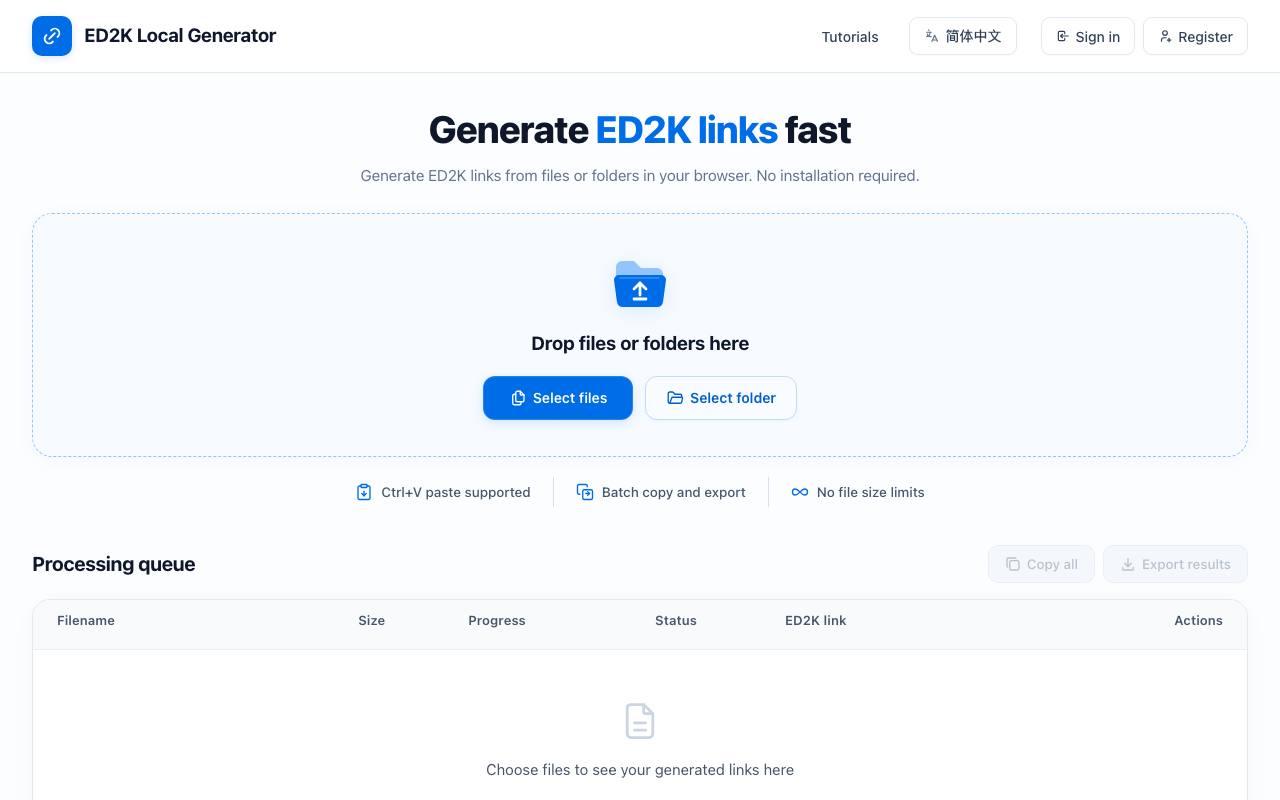
All you have is a folder of files on a laptop and a vague memory of eMule, while the cloud drive asks for a link. Drives such as 115 and PikPak accept a file as an ED2K link, a line of text with the file's name and size. Its key part is a fingerprint of the contents, which ED2K Tool calculates inside the browser tab.
The site says the files stay on your computer, and its guide adds that creating a link shares nothing with anyone. You drop in single files or a whole folder, or paste them with Ctrl+V, and each row in the queue shows its progress. When hashing ends, one button copies every link, and the batch can be saved as a TXT or CSV file.
An account is optional, and signed-in users can keep a personal record of past links with their file names and sizes. A separate checker splits up to 100 existing links at once into their fields; it reads the format only and cannot tell whether a file is still available.
A converter rewrites an ED2K link as a magnet link, the format many download apps expect, and turns it back again. The site comes in Chinese and English, with step-by-step guides for 115 and PikPak.
Good fit if you…
- add your own files to 115 or PikPak by link
- need ED2K links for a whole folder at once
Made ED2K Tool? Get the badge
You're welcome to show the listing on your site. It's optional and free, and nothing about the listing depends on it.

Share the listing
More in Data, Security & IT
See all →
Data Import Mapper
Clean up a spreadsheet before it goes into new software, and see every row that fails

PC Tweaker
Change hidden Windows settings for gaming or privacy and roll them back later

Phishnoo
Send your own staff fake scam emails and texts, then train whoever takes the bait

ping123
See what websites learn about your connection and check your VPN for leaks

MailTova
Get email addresses on your own domain without running a mail server