ImageSVG
Trace a PNG or JPG logo into a vector SVG file you can resize freely
Forpeople who need a vector copy of a logo or icon Web
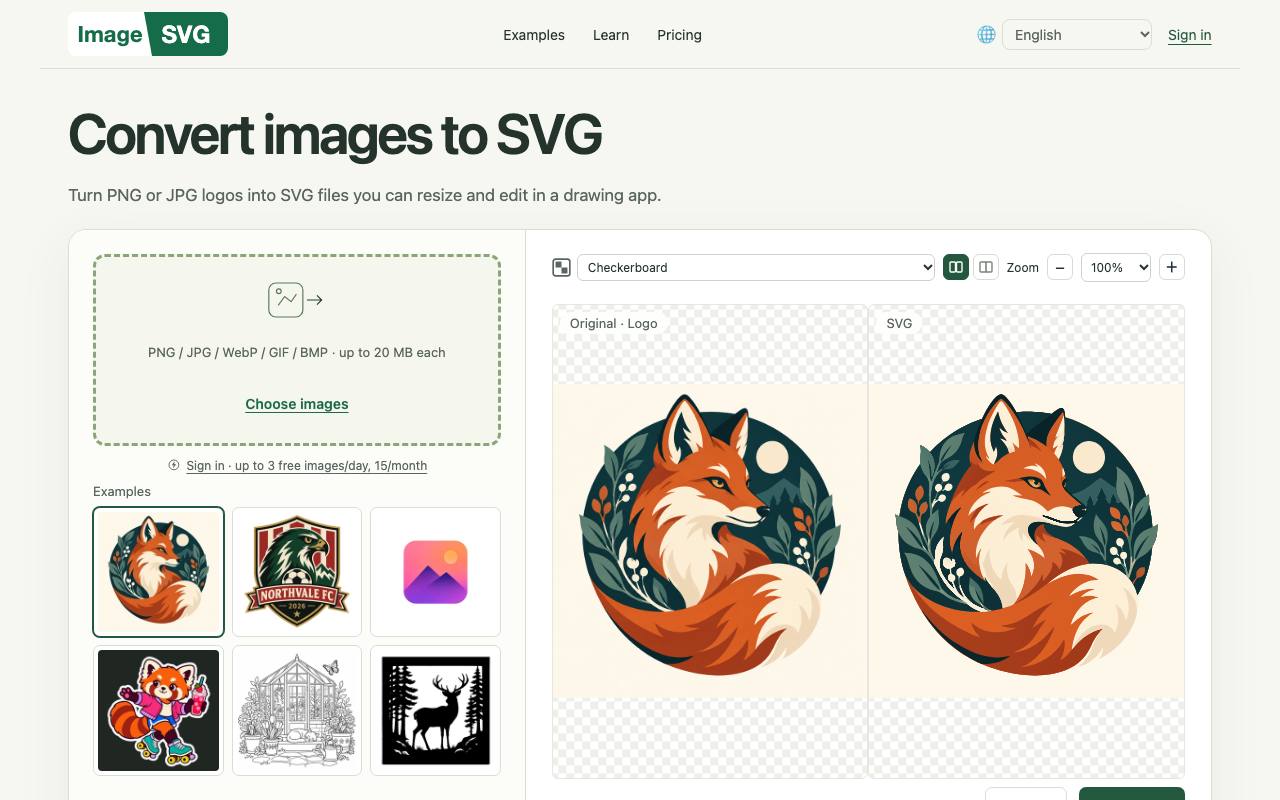
For the new banner, the print shop wants the logo as a vector file; all anyone can find is a small PNG saved from the old website. ImageSVG traces pictures like that into SVG, a format built from lines and shapes, so the result can be scaled up without blurring. First you pick what the image is: an icon or logo, clip art, a photo or line art for coloring books.
Three curve styles trade fewer points against finer detail. The SVG appears beside the original, with zoom up to 400 % to check corners and lettering. Text turns into shapes, so changing a word means typing it again in a drawing app. Files can also be saved as PDF, EPS or DXF, the file type cutting machines use.
According to the privacy policy, conversion runs in the browser tab, where images stay for 24 hours instead of going to the cloud. The FAQ suggests keeping photos as PNG, JPEG or WebP, since the tool is made for icons and logos. Your own files need an account, while the public examples open without one.
Good fit if you…
- have a logo only as a PNG or JPG and need it for print or a large sign
- make designs for a cutting machine and need DXF files
Made ImageSVG? Get the badge
You're welcome to show the listing on your site. It's optional and free, and nothing about the listing depends on it.

Share the listing
More in Design, Photo & Video
See all →
CADProps
Open a 3D design file in the browser and read its size, volume and weight

Morie
Remove the wavy rainbow stripes from photos of screens and scanned prints

AI Icon Creator
Make an app icon from a few words and download it in every size the stores ask for

Client Review Desk
Collect client comments and approvals on each round of design images through a shared link

DishVivid
Brighten and crop photos of your real dishes for menus and delivery apps