Unapprove
Send a batch of approved Xero invoices and bills back to draft, with a preview first
Forbookkeepers and accountants who clean up Xero files Web
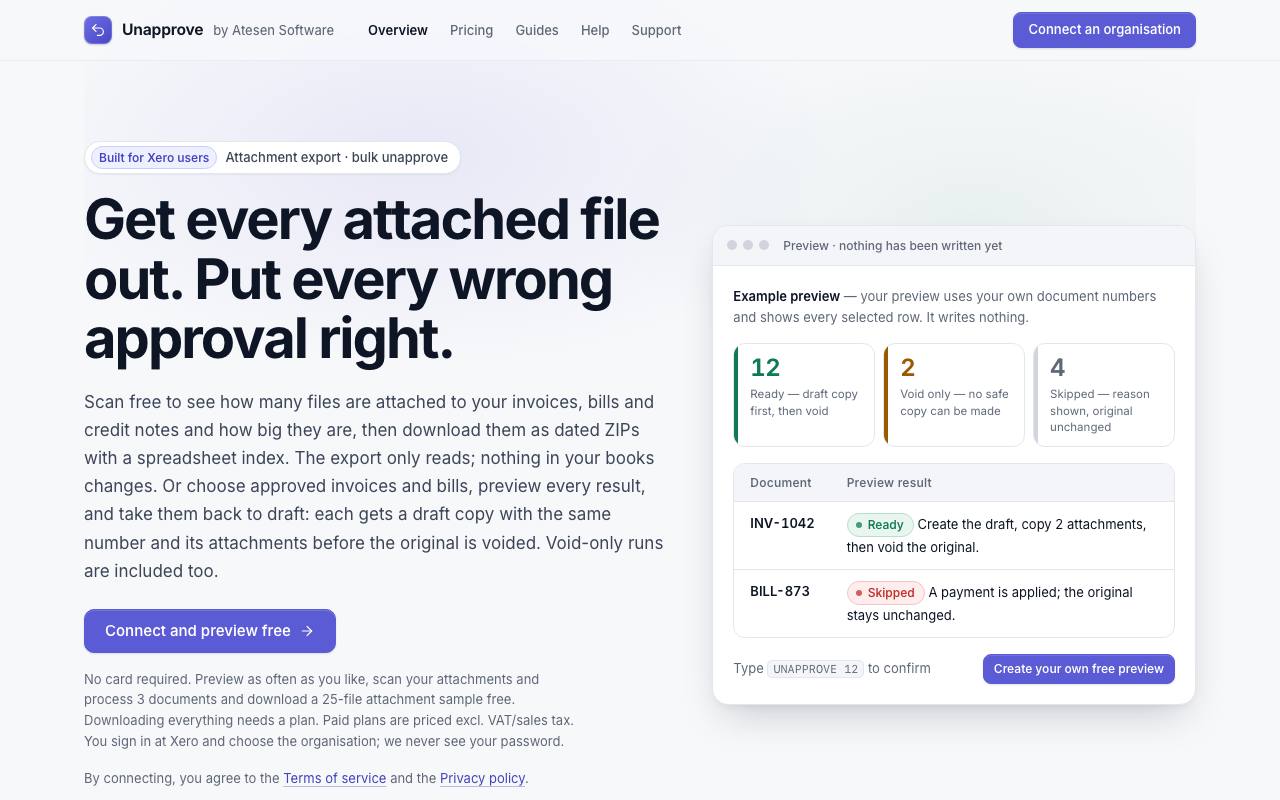
Once an invoice in the accounting program Xero is approved with the wrong customer on it, no button sends it back to draft. The manual fix, copying the invoice with its files and then voiding the original, takes a minute for one invoice and an afternoon after a bad import of forty. Unapprove runs that routine for a whole selection of sales invoices and bills.
The new draft keeps the original number, and the voided one is renamed with a -V suffix. A void cancels a document for good, so the draft copy and its attachments are made first. If the copy fails, the original stays as it was. Every run starts with a preview of each selected document, and nothing is written until you type the count in the form "UNAPPROVE 37".
Documents with an applied payment, an allocated credit note, an archived contact or a date in a locked period are skipped, each with its reason. Attachments over 10 MB cannot be copied, so those originals can only be voided.
Separate runs void a batch without copies, or remove payments and then void, with reconciled and batch payments left alone. Bulk write-offs of small or bad-debt balances are included as well. According to the privacy policy, the attachment export sends files from Xero straight into your download without storing them. It only reads, and every invoice, bill and credit-note file arrives in dated ZIP folders.
Good fit if you…
- need to redo a batch of invoices or bills that were approved too early or synced wrongly
- want every receipt out of Xero with an index, for an audit or before cancelling
Made Unapprove? Get the badge
You're welcome to show the listing on your site. It's optional and free, and nothing about the listing depends on it.

Share the listing
More in Finance & Accounting
See all →
Anyway
Sell your app or API through a payment link without opening your own merchant account

BasisPilot
Work out your average share price and how large a trade can be, with the formula shown

EA LAB
Test a chart trading strategy on past prices, then let a robot trade it in MetaTrader 5

ScopeBid
Price a job on site from your last similar one and see the margin before you send

Statsnet
Check a company in official registers before you sign with it or pay it