
SonicCaption
Get live subtitles and a translation under any video playing in your browser tab
Forpeople who watch videos and classes in a language they are still learning Browser extension
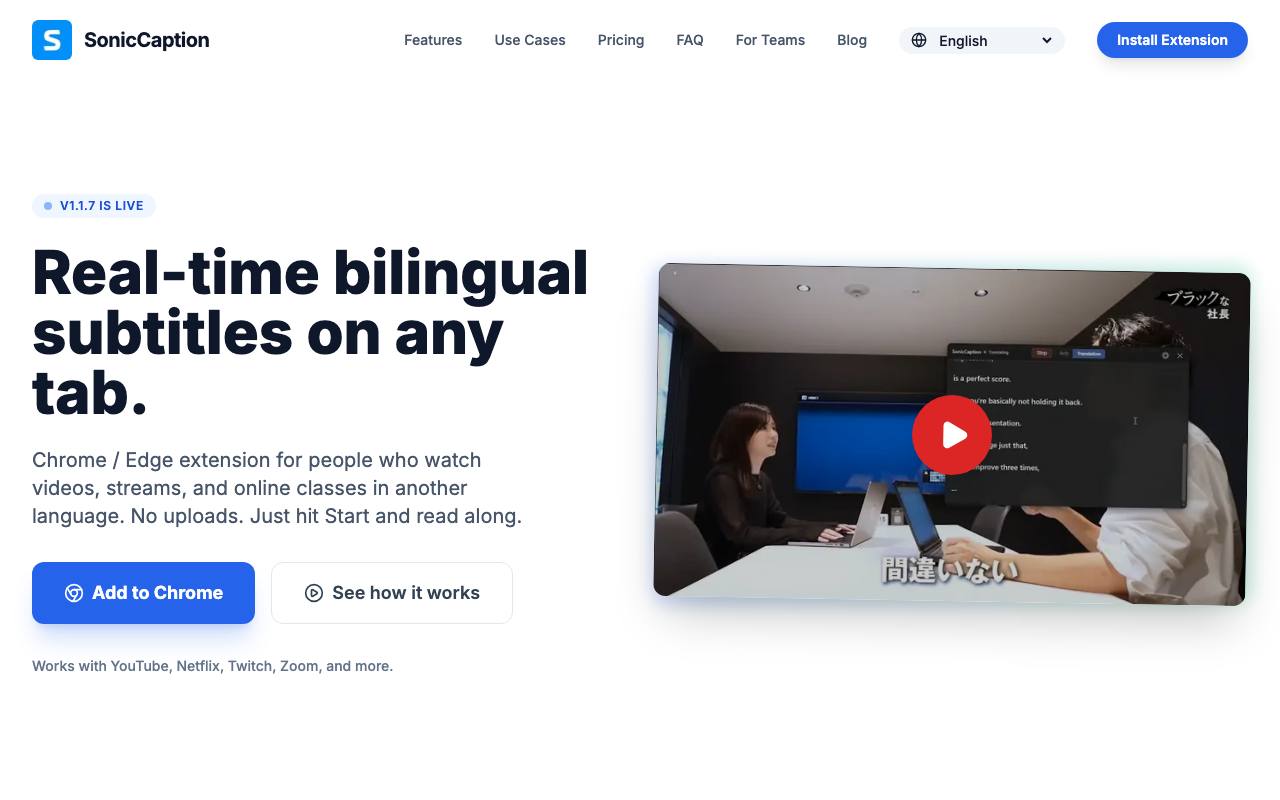
Pause, rewind, listen again: that is how a stream or an online class tends to go in a language you are still learning. Installed in Chrome or Edge, the SonicCaption extension subtitles whatever audio plays in the current tab and puts a translation under each original line. You press Start in the tab instead of uploading a file. Subtitles trail speech by about half a second, the site says.
You set one language for the original and one or more for the translation, out of more than 60. The privacy page says the tab's audio is turned into text in the browser. Only short text segments then go to SonicCaption's servers and to its speech and translation providers. Usage is counted in caption minutes, and captions pause when a plan's minutes run out until the next billing period.
Good fit if you…
- watch videos or live streams in a language you are still learning
- follow meetings or online classes in another language from the browser
Made SonicCaption? Get the badge
You're welcome to show the listing on your site. It's optional and free, and nothing about the listing depends on it.

Share the listing
More in Writing, Translation & Voice
See all →
English in Telugu Typing
Write Telugu words the way they sound on an English keyboard and get Telugu script

Elmren Voice
Make read-along audio from your own books and texts on your Mac, offline

Describe Image
Draft alt text and captions from the picture itself, for one photo or a whole batch
EarnDraft
Have an ebook drafted from your idea, chapters and cover included, then edit it

Image Describer
Copy the look of a reference picture into a prompt for an image generator