Image Size Check
Check an image's pixels and file size before a form or a printer turns it down
Forpeople preparing a picture for a print shop or an upload form Web
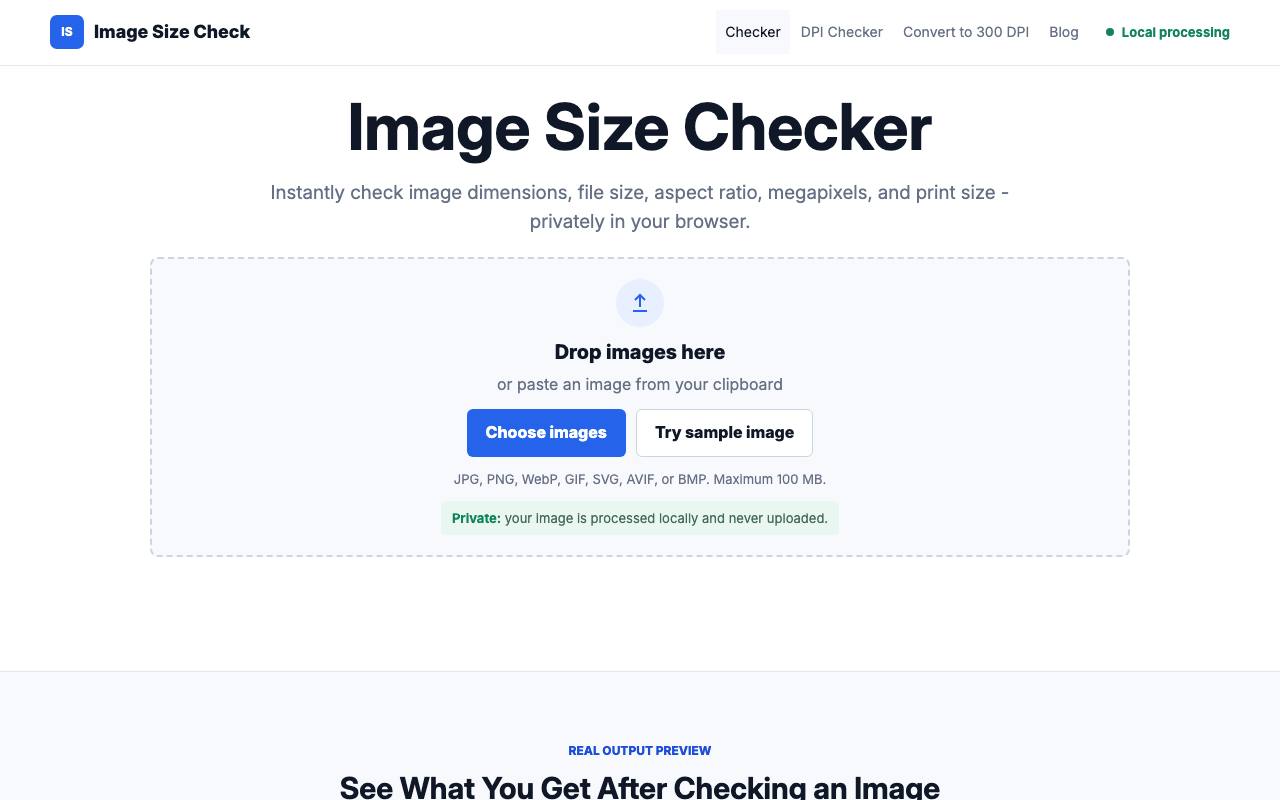
The print shop asks for 300 DPI, the upload form wants 1200 by 800 pixels, and the file on your desktop is called IMG_4471 and keeps its measurements to itself. Drop or paste that image onto Image Size Check and the page lists its width and height in pixels, file size, aspect ratio, megapixels and format.
A table underneath shows how large the picture would print in inches and centimetres at 72, 96, 150 and 300 pixels per inch. The checker opens JPG, PNG, WebP, GIF, SVG, AVIF and BMP files up to 100 MB and leaves the file as it is.
That print table is worked out from the pixel count alone, while a second page reads the DPI value saved inside the file. The site says every image is handled in your browser and never sent to a server.
A converter writes 300 DPI or another value into the file's header and keeps the pixels untouched, so the picture gains no detail. Further pages turn pixels into inches and back, and shrink a photo to a target such as 20 or 50 KB.
Good fit if you…
- need to know whether a picture has enough pixels for a print at a given size
- were told to hand in a file at 300 DPI and want to check or set that value
Made Image Size Check? Get the badge
You're welcome to show the listing on your site. It's optional and free, and nothing about the listing depends on it.

Share the listing
More in Design, Photo & Video
See all →
AnimoX
Type one sentence about a science topic and get a narrated, animated explainer video
Attiro
Try an outfit on your own photo, or put a product photo of clothes on a model

Comiora
Turn a written story into comic pages or a short animated comic video

IDPhotoPix
Turn a phone picture into a passport or visa photo in the size the form demands

Old Anew
Make your parents' wedding photo blink for their anniversary, as a five-second video