
FindUtils
Merge a PDF or make a Wi-Fi QR code from a big set of small browser tools
Forpeople who need a small converter or checker a few times a month Web, API
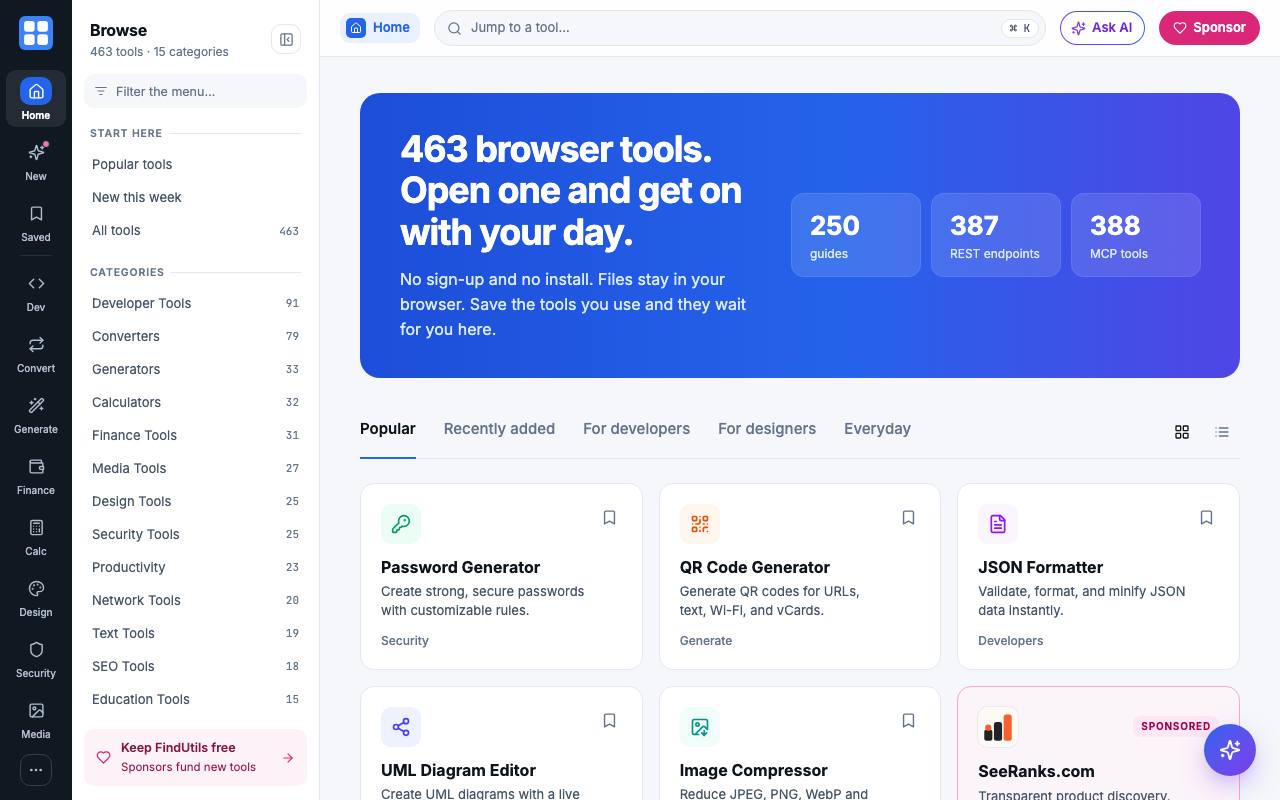
With guests due in ten minutes, the first QR code site you find for the 24-character Wi-Fi password wants an account. FindUtils collects small jobs like that, 463 tools when we checked, including a loan calculator and a PDF merger. Most of them run inside the browser tab, so a file you drop in stays on your computer.
Each tool page explains what to enter and how to read the result, and many come with a longer guide. The JSON formatter handles the text format apps use to swap information: it repairs stray commas and quotes and shows nested data as a tree you can fold open.
Lookup tools for DNS, WHOIS or SSL have to send the domain to an outside service, and the privacy policy says each of those pages names what leaves your device. The pages carry ads and labelled sponsor slots.
People who write software can call 387 of the tools from their own code over a REST API, while an MCP server opens 388 of them to AI coding assistants. Both need an API key, which the MCP page says is handed out as early access for now. The changelog lists new guides on most days of October 2026, plus 26 new tools that month.
Good fit if you…
- need a one-off PDF, image or text job without creating an account
- want an AI assistant to hash, convert or look things up with a tool instead of guessing
Made FindUtils? Get the badge
You're welcome to show the listing on your site. It's optional and free, and nothing about the listing depends on it.

Share the listing
More in Developer Tools & APIs
See all →
HostingCompass
Compare hosting and domain offers by what they cost after the first year

NovaSynth
Throw simulated callers at your voice bot before real customers ring it

Zozo
Let AI coding agents work through your issue backlog and hand back pull requests

FutureInfra
Ask your AI coding assistant to put your app online, with server, address and HTTPS

xmcp
Write TypeScript functions that an AI assistant can call as tools