DocuCraftBox
Turn Markdown notes and AI drafts into formatted Word or PDF documents
Forpeople who write in Markdown or with AI chatbots and hand in Word or PDF files Web
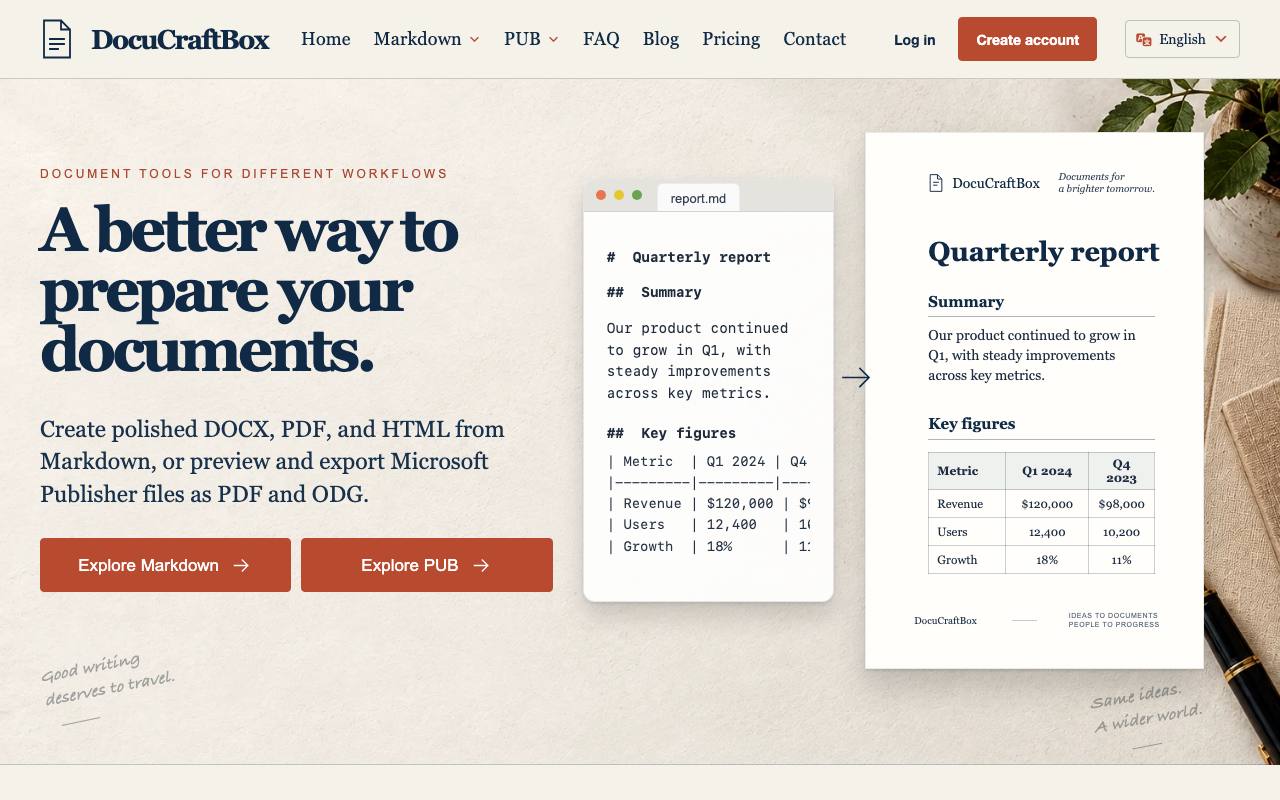
Paste a chatbot's answer into Word and the page fills with pound signs and a table drawn from vertical bars. That notation is Markdown, the plain-text format chatbots and developers write in. The person waiting for the report may never have heard of it. DocuCraftBox converts the text into a Word document with real headings and tables or into a PDF with fixed pages. A third workspace produces a single web page.
The text is pasted in or uploaded as a file, and a ZIP archive can carry the images that belong to it. Four templates set the look: clean office, academic paper, business report and technical document. A preview beside the source shows the styled result before the export. Math formulas are carried into the output along with diagrams written in Mermaid code. The web page is built in the browser. Word and PDF files are made on the service's servers and need an account.
A separate set of tools handles Microsoft Publisher files for people without Publisher. The viewer shows the first three pages as watermarked images, and two converters export the file as a PDF or as an ODG drawing for LibreOffice Draw. The site warns that fonts and object positions can shift in that conversion. Uploads are temporary: the privacy policy says finished files are deleted within about an hour and are never sent to an AI model.
Good fit if you…
- write reports in Markdown or with an AI chatbot and must deliver them as Word or PDF
- received a Publisher .pub file and have no Publisher to open it
Made DocuCraftBox? Get the badge
You're welcome to show the listing on your site. It's optional and free, and nothing about the listing depends on it.

Share the listing
More in Productivity & Collaboration
See all →
Alfova
Turn a timetable PDF or a photo of the rota into events your calendar can import

Client Ready
Collect a client's answers and files on one checklist before the project starts

Compare Two Lists
Paste two lists and see what is missing from each and what they share
Magnus
Staff a small company with talking AI agents that share your goals and files

PDFMint
Merge, compress, convert and sign PDFs in a browser tab that keeps the file on your device